Practice IT Book 1 (3rd Edition)
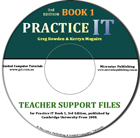
Teacher Support Files
by Greg Bowden and Kerryn Maguire
The Teacher Support Files provide more detailed tutorials and worksheets in PDF format for the software activities in the Practice IT Book 1 (third edition) text book published by Cambridge University Press.
The Microsoft Office 2010 Book 1 Support Files and the Adobe CS5 Support files are included with the PIT Book 1 Support Files.
The Teacher Support Files can be used separately from the Practice IT text book, but the book does provide projects at the end of each software module and a theory module on computer awareness and the social impacts of computer use.
 |
The Support Files provide teachers with the choice of teaching from the book or giving the more detailed tutorials to students to work through at their own rate, or use a combination of the two approaches.
The software packages covered on the CD are Microsoft Word 2003, 2004, 2007, 2008 and 2010, Windows Movie Maker, iMovie 08, Microsoft PowerPoint 2003, 2004, 2007, 2008 and 2010, Microsoft Paint, Adobe FireWorks CS5, CS4 and CS5, Adobe Photoshop CS5, CS4 and CS3, Adobe Photoshop Elements 6, Microsoft Excel 2003, 2004, 2007, 2008 and 2010, Microsoft Access 2003, 2007 and 2010, and FileMaker Pro 8 and 9.
|
Support files for Adobe CS5 and Microsoft Office 2010 software can be purchased separately if desired. See the options in the Cambridge Uni Press menu at the left.
Prices (Including GST)
Products can be purchased using a School Purchase Order Number, Credit Card or PayPal.
PIT Book 1 Teacher Support Files, $A33 |
|

The following table shows the list of exercises in each module. Sample pages from selected exercises can be downloaded.
Module 2: Word Processing |
|
|
1 |
Entering a Document |
|
2 |
Formatting Text |
|
3 |
Copying and Pasting Text |
|
4 |
Inserting Page Breaks and Moving Text |
|
5 |
Tab Stops |
|
6 |
Setting page Margins |
|
7 |
Combining Tabs and Indents |
Microsoft Word 2003 pages (394k) |
8 |
Further Tabs and Indents |
|
9 |
Bulleted and Numbered Lists |
|
10 |
Leader Characters |
|
11 |
Further Tabs and Indents |
|
12 |
Page Formats |
Microsoft Word 2004 pages (597k) |
13 |
Inserting Graphics |
|
14 |
Multiple Page Documents |
Microsoft Word 2007 pages (612k) |
15 |
Using Sections |
Microsoft Word 2008 pages (527k) |
16 |
Detailed Newsletters |
|
Module 3: Microsoft Drawing Tools |
|
|
1 |
Drawing Shapes |
|
2 |
Editing Objects |
|
3 |
Shape Fills |
|
4 |
Shape Outlines |
|
5 |
Shape Effects |
|
6 |
3-D Effects |
|
7 |
The Text Box Tool |
|
8 |
Using Clip Art |
Microsoft Word 2007 pages (344k) |
9 |
Using WordArt |
|
10 |
WordArt Enhancements |
|
11 |
SmartArt Graphics |
Microsoft Word 2008 pages (248k) |
12 |
Aligning Objects |
|
Module 4: Making Movies |
|
|
1 |
Start a Movie Project |
|
2 |
Importing Movie Files |
|
3 |
Add Transition |
|
4 |
Add Motion and Video Effects |
Windows Movie Maker pages (256k) |
5 |
Adding Titles to Movie Clips |
iMovie 08 pages (606k) |
6 |
Sound Tracks |
|
7 |
Edit the Movie |
|
8 |
Export Movies |
|
9 |
Preparing a DVD |
|
10 |
Using Photos to Make a Movie |
|
Module 5: Multimedia |
|
|
1 |
Creating a New Presentation |
PowerPoint 2003 pages (360k) |
2 |
Entering Text |
|
3 |
Formatting Text |
|
4 |
Inserting Graphics |
PowerPoint 2007 pages (119k) |
5 |
Starting from Scratch |
|
6 |
More Graphics |
|
7 |
Slide Transitions |
|
8 |
Animating Slides for a Slide Show |
|
9 |
Building Bullets |
|
10 |
Using Masters |
|
11 |
Formatting Master Bullets |
|
12 |
Adding Background Items |
|
13 |
Adding a Picture to a Master |
|
14 |
Following the Master |
|
15 |
Applying and Modifying a Theme Design |
|
16 |
Using the Master |
|
17 |
Movie Promo Master |
|
18 |
Creating a Master for a Zoo |
|
19 |
Movie Clips |
|
20 |
Action Buttons |
|
21 |
Creating a Custom Action Button |
|
22 |
Adding More Hyperlinks) |
|
23 |
Using Action Objects to Navigate |
|
24 |
Proceeding With Action Buttons |
|
Module 6: Computer Graphics |
|
|
1 |
Creating a Painting |
Adobe FireWorks CS4 pages (756k) |
2 |
A More Detailed Sketch |
Microsoft Paint pages (122k) |
3 |
Copying Graphics |
|
4 |
Editing Graphics |
|
5 |
Photo-Editing Tools |
Adobe Photoshop CS3 pages (353k) |
6 |
Special effects |
Adobe Photoshop CS4 pages (445k) |
7 |
Combining Photographs into One |
|
8 |
Creating Masks |
Photoshop Elements 6 pages (613k) |
9 |
Adding Text to Images |
|
Module 7: Spredsheets |
|
|
1 |
Spreadsheet Structure |
|
2 |
Data Entry |
|
3 |
Formulas and Calculations |
|
4 |
Addition |
|
5 |
Division and Subtraction |
|
6 |
Multiplication, Addition & Subtraction |
|
7 |
The Sum Formula |
|
8 |
Formatting the Spreadsheet |
Microsoft Excel 2003 pages (107k) |
9 |
More Formatting |
|
10 |
Creating a Column Chart |
|
11 |
Creating a Pie Chart |
|
12 |
Charting Only Part of the Data |
|
13 |
Using Goal Seek |
Microsoft Excel 2004 pages (140k) |
14 |
Goal Seek to Calculate Sales and Profit |
|
15 |
Goal Seek to Find Number of Guests |
|
Module 8: Databases |
|
|
1 |
Creating a Database |
|
2 |
Editing a Database |
|
3 |
Creating Reports |
Microsoft Access 2003 pages (234k) |
4 |
Calculation Fields |
Microsoft Access 2007 pages (491k) |
5 |
Creating Different Reports |
|
6 |
Sorting Data |
FileMaker Pro 8 pages (343k) |
7 |
Finding Data |
FileMaker Pro 9 pages (535k) |
8 |
Creating Another Table |
|
| Home | Products | iPad | Downloads | Testimonials | Ordering | Contact Us |