Practice IT Book 2 (3rd Edition)
Microsoft Office 2010 Support Files
by Greg Bowden and Kerryn Maguire
The Microsoft Office 2010 Support Files provide more detailed tutorials and worksheets in PDF format using Microsoft Office 2010 (Access, Excel, Publisher and Word) for the software activities in the Practice IT Book 2 (third edition) text book published by Cambridge University Press.
http://www.cambridge.edu.au/education/pit
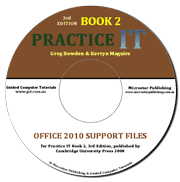 |
The Microsoft Office 2010 Support Files are aimed at students in years 8 to 10 and can be used separately from the Practice IT Book 2 text book, but the book does provide projects at the end of each software module and a theory module on computer awareness and the social impacts of computer use.
The Support Files provide teachers with the choice of teaching from the book or giving the more detailed tutorials to students to work through at their own rate, or use a combination of the two approaches. |
Prices (Including GST)
Products can be purchased using a School Purchase Order Number, Credit Card or PayPal.
PIT Book 2 Microsoft Office 2010 Support Files, $A33 |
|

The following table shows the list of exercises in each module. Sample pages from selected exercises can be downloaded. If you are using Firefox and the sample pages don't display correctly, use the OPEN WITH DIFFERENT VIEWER button.
Module 2: Word Processing |
|
|
1 |
Business Letters |
|
2 |
Leader Characters |
|
3 |
Further Tabs and Indents |
|
4 |
Using Tables |
Microsoft Word 2010 pages (616k) |
5 |
More Detailed Tables |
|
6 |
Inserting Graphs |
|
7 |
Mail Merge Letters |
|
8 |
Creating Mail Merge Labels |
|
9 |
Inserting Equations |
|
10 |
Creating Page Layouts 1 |
Microsoft Word 2010 pages (558k) |
11 |
Creating Page Layouts 2 |
|
Module 6: Spreadsheets |
|
|
1 |
Reviewing Spreadsheets 1 |
|
2 |
Reviewing Spreadsheets 2 |
|
3 |
Sorting |
Microsoft Excel 2010 pages (257k) |
4 |
Spreadsheet Lists |
|
5 |
Using the Subtotal Function |
|
6 |
Filtering |
|
7 |
Functions |
|
8 |
Using Functions (on Non-Adjacent Cells) |
|
9 |
Date and Time Functions |
|
10 |
Logical Functions 1 |
|
11 |
Logical Functions 2 |
|
12 |
Logical Functions 3 |
|
13 |
Nested IF Functions |
|
14 |
The CHOOSE Function |
|
15 |
The CHOOSE Function Within a Formula |
|
16 |
The VLOOKUP Function |
|
17 |
The HLOOKUP Function |
|
18 |
Pivot Tables |
|
19 |
More Pivot Tables |
|
Module 7: Databases |
|
|
1 |
Creating a Database |
|
2 |
Sorting Records |
|
3 |
Finding Data |
Microsoft Access 2010 pages (519k) |
4 |
Counting Data Items |
|
5 |
Sub-Totals and Grand Totals |
|
6 |
Creating a Data Entry Screen |
Microsoft Access 2010 pages (614k) |
7 |
Creating a Database System |
|
Module 9: Desktop Publishing |
|
|
1 |
Creating a Flyer |
|
2 |
Creating Greeting Card |
|
3 |
Creating Restaurant Menus |
|
4 |
Creating Tables |
|
5 |
Creating Newsletters |
|
6 |
Publicity Pamphlets |
|
| Home | Products | iPad | Downloads | Testimonials | Ordering | Contact Us |